

Checking Fault Codes on Your Heat Pump

Why you can trust our content
We know the plumbing and renewable energy industry can feel overwhelming, especially with conflicting advice and outdated information online. That’s why we base everything we do on clarity, expertise, and trusted sources:


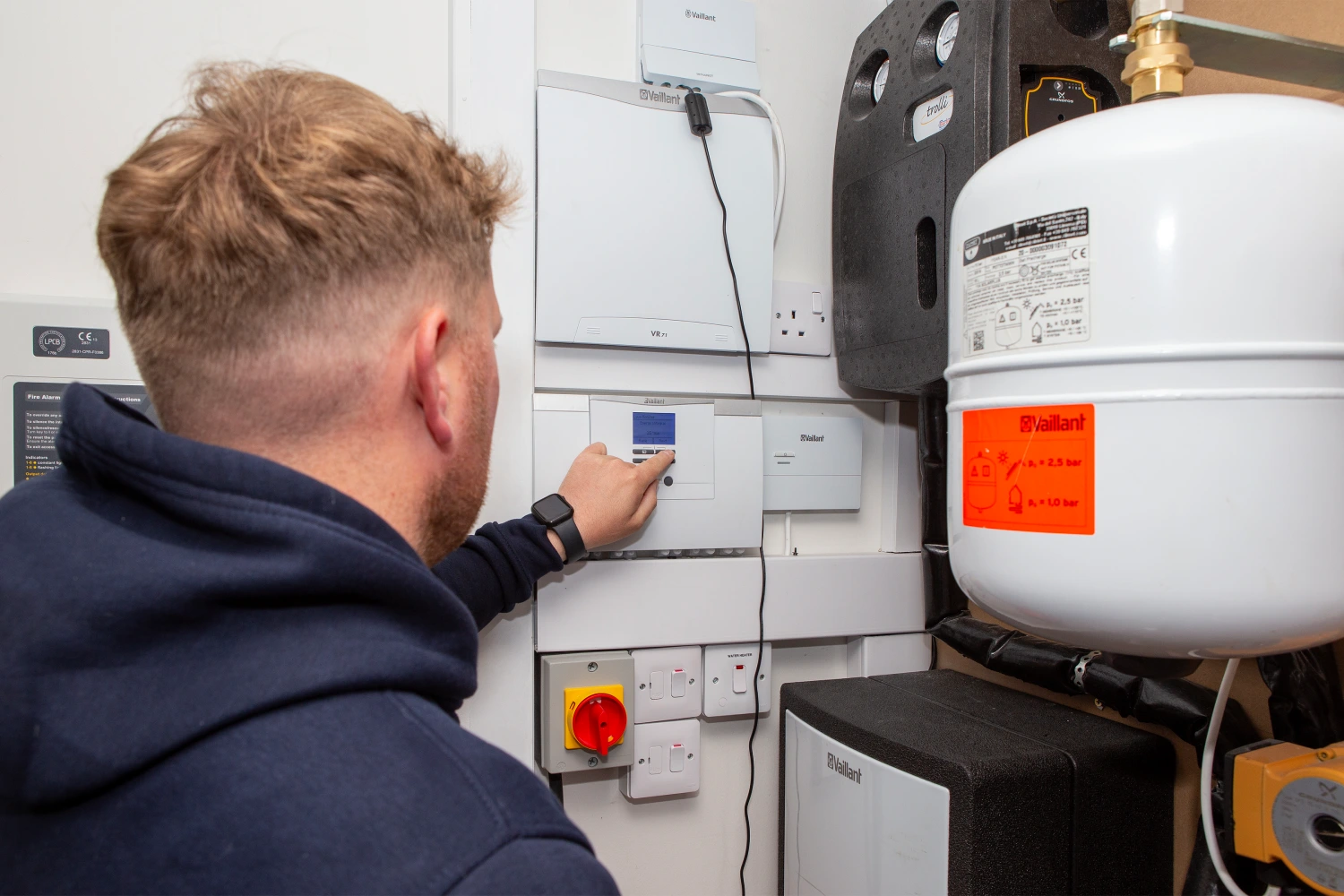
What Is a Fault Code?
A fault code is a message shown on your heat pump’s controller or display when the system detects a problem. It usually appears as a number and/or letter code (e.g. F.792 or P9) often along with a warning symbol.
Why Would You Check for One?
- To understand why your heat pump has stopped or isn’t working as expected.
- To see if the issue is something simple you can resolve yourself (e.g. by following the Hard Reset, Topping Up Pressure, or Cleaning the Strainer guides).
- To give us accurate information if you need to call for help, a fault code helps us diagnose an issue more quickly.
What To Do if You See a Fault Code
- Check if the fault clears after following the self-help steps in this guide pack.
- If the code remains or keeps coming back → make a note or take a photo of the code.
- Contact us with the details so we can advise on the next steps.
More Detail on Fault Codes
- Each heat pump brand has its own set of fault codes.
- Full fault code explanations are included in the system manuals given to you at handover.
- If you need another copy of the manuals, we can provide these on request.
Where do you Find a Fault Code
Vaillant aroTHERM plus
Controller: sensoCOMFORT
How to Check:
- Look at the black controller – it may say to contact an engineer – be aware not all faults show on this controller
- Go to the white controller which will be normally situated in the plant/cylinder location. It will show if there is an issue and give a fault code with a small description eg. F022 low pressure.
- Note the code or take a photo.
- Please note that fault codes begin with F. Codes beginning with S are operational status codes and generally are not fault codes, take note and if normal operation does not re-establish let us know. Codes beginning with M require some maintenance, but system may continue to operate.
Mitsubishi Ecodan (FTC 5, 6 or 7 Controllers)
How to Check:
- The controller will be situated in a central location to the house if being used as a thermostat or in the plant/cylinder. On the main screen, if there’s a fault, a warning or fault code will show.
- Press any button to light up the screen.
- Note down the displayed fault code or take a photo.
Grant Aerona R290 Heat Pump
Controller: Grant Smart Controller
How to Check:
- Faults appear directly on the Smart Controller screen. The controller will either be situated in a central location to the house or in the plant / cylinder location.
- If a code is active, you’ll see a red exclamation mark in the top left corner of the screen. Press this and it will open a page of all recent fault codes with a code (e.g. E9).
- Note the code for when you contact support.
Samsung EHS Mono R290 Heat Pump
How to Check:
- Faults appear on the indoor controller screen (MCU), the controller will either be situated in a central location to the house or in the plant / cylinder location.
- An error code (e.g. E101, E123) will be displayed if there’s a fault.
- Note or photograph the code.
When to Call Us (applies to all models)
- If you see a fault code you don’t recognise.
- If the same code reappears after resetting the system.
- If the system shuts down and won’t restart.
Tip: Always take a photo of the fault code and the controller screen – this helps us diagnose the issue faster.
Related articles


Which option best describes your home?
At a glance
What Is a Fault Code?
A fault code is a message shown on your heat pump’s controller or display when the system detects a problem. It usually appears as a number and/or letter code (e.g. F.792 or P9) often along with a warning symbol.
Why Would You Check for One?
- To understand why your heat pump has stopped or isn’t working as expected.
- To see if the issue is something simple you can resolve yourself (e.g. by following the Hard Reset, Topping Up Pressure, or Cleaning the Strainer guides).
- To give us accurate information if you need to call for help, a fault code helps us diagnose an issue more quickly.
What To Do if You See a Fault Code
- Check if the fault clears after following the self-help steps in this guide pack.
- If the code remains or keeps coming back → make a note or take a photo of the code.
- Contact us with the details so we can advise on the next steps.
More Detail on Fault Codes
- Each heat pump brand has its own set of fault codes.
- Full fault code explanations are included in the system manuals given to you at handover.
- If you need another copy of the manuals, we can provide these on request.
Where do you Find a Fault Code
Vaillant aroTHERM plus
Controller: sensoCOMFORT
How to Check:
- Look at the black controller – it may say to contact an engineer – be aware not all faults show on this controller
- Go to the white controller which will be normally situated in the plant/cylinder location. It will show if there is an issue and give a fault code with a small description eg. F022 low pressure.
- Note the code or take a photo.
- Please note that fault codes begin with F. Codes beginning with S are operational status codes and generally are not fault codes, take note and if normal operation does not re-establish let us know. Codes beginning with M require some maintenance, but system may continue to operate.
Mitsubishi Ecodan (FTC 5, 6 or 7 Controllers)
How to Check:
- The controller will be situated in a central location to the house if being used as a thermostat or in the plant/cylinder. On the main screen, if there’s a fault, a warning or fault code will show.
- Press any button to light up the screen.
- Note down the displayed fault code or take a photo.
Grant Aerona R290 Heat Pump
Controller: Grant Smart Controller
How to Check:
- Faults appear directly on the Smart Controller screen. The controller will either be situated in a central location to the house or in the plant / cylinder location.
- If a code is active, you’ll see a red exclamation mark in the top left corner of the screen. Press this and it will open a page of all recent fault codes with a code (e.g. E9).
- Note the code for when you contact support.
Samsung EHS Mono R290 Heat Pump
How to Check:
- Faults appear on the indoor controller screen (MCU), the controller will either be situated in a central location to the house or in the plant / cylinder location.
- An error code (e.g. E101, E123) will be displayed if there’s a fault.
- Note or photograph the code.
When to Call Us (applies to all models)
- If you see a fault code you don’t recognise.
- If the same code reappears after resetting the system.
- If the system shuts down and won’t restart.
Tip: Always take a photo of the fault code and the controller screen – this helps us diagnose the issue faster.
