

Switching On Your Hot Water Immersion

Why you can trust our content
We know the plumbing and renewable energy industry can feel overwhelming, especially with conflicting advice and outdated information online. That’s why we base everything we do on clarity, expertise, and trusted sources:



What Does This Mean?
Most heat pump systems include an immersion heater inside the hot water cylinder. It’s like a large kettle element that heats water with electricity. Turning it on gives you a backup way to heat water if your heat pump is off or not producing hot water.
Why Would You Do It?
- If your heat pump isn’t heating water.
- To make sure you still have hot water while waiting for a repair.
Switching on the Immersion – Vaillant AroTHERM Plus & Grant R290 Heat Pumps.
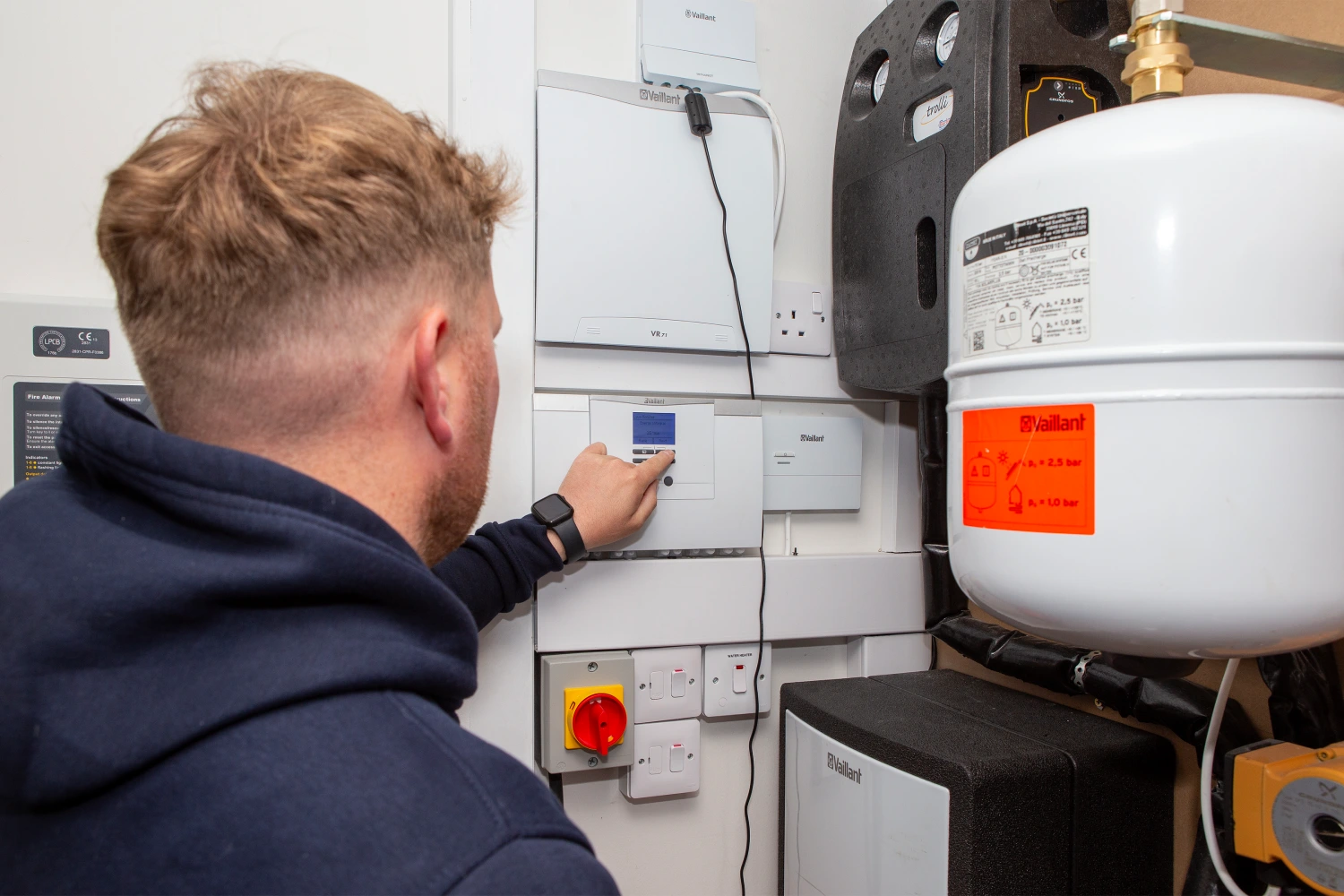
- Find the Immersion Switch: Usually a wall switch or fused spur near your hot water cylinder, sometimes labelled “Immersion” or “water heater”.
- Turn the Switch to ON: A small light may glow to show it is heating.
- Wait for Water to Heat: It may take 2 hours to fully heat the cylinder.
- Switch Off When Finished: Immersions use a lot of electricity – only keep it on as long as needed.
Switching on the Immersion – Mitsubishi Ecodan Controller FTC 5 /6
- Go to Mitsubishi controller, press any button to light up the screen. when lit up you should be on the home screen.
- Press the menu button (bottom left round button).
- Scroll to the furthest right service menu and press the tick button.
- The code is 0000, press the tick button again.
- Scroll down to heat source setting, press the tick button.
- System shut down message will show up, press yes.
- Press the button below the yellow circle symbol to change the setting to heater and press the tick button.
- Press return button to go back to home screen with the date and time.
- Press the power button on the bottom right, system will start again, and lightning bolt symbol will appear on the screen.
Mitsubishi Ecodan Touch Screen FTC 7
Follow the same procedure as above but be aware that the controller is all touch screen so button selection will be done on the screen.
Switching on the Immersion – Samsung Generation 7 Heat Pumps with Generation 6 controller
- Wake up main controller by pressing the okay button in the middle
- Press the plus and minus buttons together for 5 seconds
- Enter code 0202 to access service menu
- Scroll down to self-test mode and press okay
- Scroll down to booster heater and scroll right to turn on
- Leave the controller on this screen for as long as you want the immersion to heat the water.
- Immersion heater has a thermostat so will only heat the water when temperature drops inside the cylinder.
When to Call Us
- If you need to use the immersion (the heat pump may not be working correctly).
- If no hot water is produced even with the immersion switched on.
- If the immersion switch or wiring feels hot, smells, or looks damaged.
- If you’re unsure where the immersion switch is or how to use it safely.
Tip: The immersion is for backup and occasional use, not for everyday hot water heating.
Related articles

Which option best describes your home?
At a glance
What Does This Mean?
Most heat pump systems include an immersion heater inside the hot water cylinder. It’s like a large kettle element that heats water with electricity. Turning it on gives you a backup way to heat water if your heat pump is off or not producing hot water.
Why Would You Do It?
- If your heat pump isn’t heating water.
- To make sure you still have hot water while waiting for a repair.
Switching on the Immersion – Vaillant AroTHERM Plus & Grant R290 Heat Pumps.
- Find the Immersion Switch: Usually a wall switch or fused spur near your hot water cylinder, sometimes labelled “Immersion” or “water heater”.
- Turn the Switch to ON: A small light may glow to show it is heating.
- Wait for Water to Heat: It may take 2 hours to fully heat the cylinder.
- Switch Off When Finished: Immersions use a lot of electricity – only keep it on as long as needed.
Switching on the Immersion – Mitsubishi Ecodan Controller FTC 5 /6
- Go to Mitsubishi controller, press any button to light up the screen. when lit up you should be on the home screen.
- Press the menu button (bottom left round button).
- Scroll to the furthest right service menu and press the tick button.
- The code is 0000, press the tick button again.
- Scroll down to heat source setting, press the tick button.
- System shut down message will show up, press yes.
- Press the button below the yellow circle symbol to change the setting to heater and press the tick button.
- Press return button to go back to home screen with the date and time.
- Press the power button on the bottom right, system will start again, and lightning bolt symbol will appear on the screen.
Mitsubishi Ecodan Touch Screen FTC 7
Follow the same procedure as above but be aware that the controller is all touch screen so button selection will be done on the screen.
Switching on the Immersion – Samsung Generation 7 Heat Pumps with Generation 6 controller
- Wake up main controller by pressing the okay button in the middle
- Press the plus and minus buttons together for 5 seconds
- Enter code 0202 to access service menu
- Scroll down to self-test mode and press okay
- Scroll down to booster heater and scroll right to turn on
- Leave the controller on this screen for as long as you want the immersion to heat the water.
- Immersion heater has a thermostat so will only heat the water when temperature drops inside the cylinder.
When to Call Us
- If you need to use the immersion (the heat pump may not be working correctly).
- If no hot water is produced even with the immersion switched on.
- If the immersion switch or wiring feels hot, smells, or looks damaged.
- If you’re unsure where the immersion switch is or how to use it safely.
Tip: The immersion is for backup and occasional use, not for everyday hot water heating.
